You have 40 tabs open because closing them feels like losing them.
It's not a tab problem. It's a retrieval problem. When you can't trust you'll find something again, you keep it open. Clibben fixes the retrieval - so you can close the tabs.

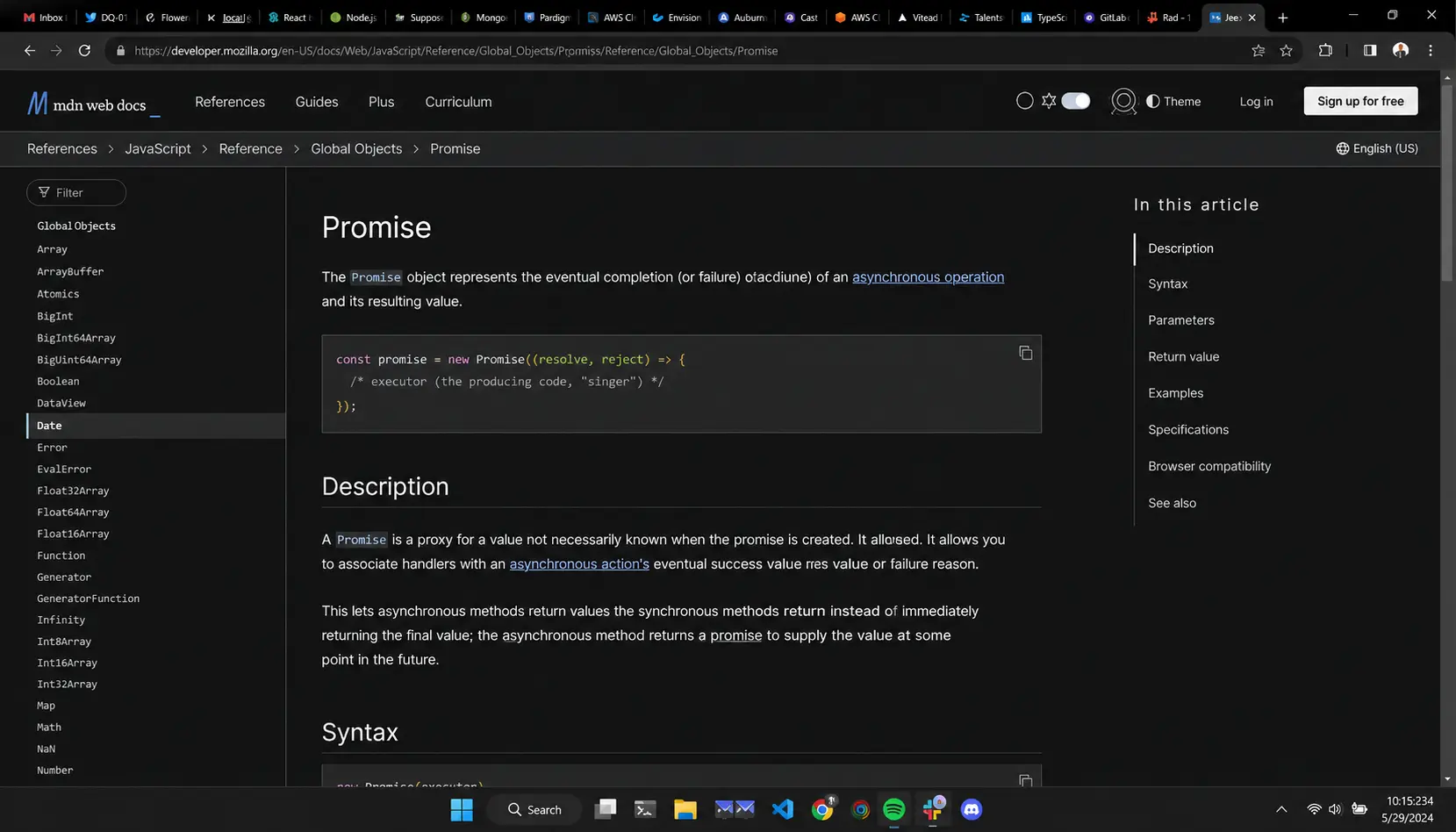
Your typical working hour.
Keeping dozens of tabs open because retrieving them later is too slow. Clibben returns retrieval directly on your current page.
Here is what actually happens
You are building something. You hit a problem. You open Stack Overflow, find a good answer, scan it, and move on - but you tab back and leave it open because you might need it again.
Twenty minutes later you are in the docs for a library you have never used before. Three tabs now. You keep them open.
By the end of the session you have 30 tabs and a GitHub PR to review, two MDN pages, a blog post about the approach you chose, and a Reddit thread where someone had the exact same problem six months ago. You do not close any of them because you have no confidence you will find them again if you need them.
You go to bed. You come back the next morning and none of them make sense out of context.
A developer's link diet looks nothing like anyone else's
It is not articles. It is reference material that expires, context that only makes sense mid-problem, and answers to questions you will ask again in three months.
stack_overflow_threads
Stack Overflow threads
Not the accepted answer - usually the third answer, the one with the caveat about a specific version, the one that actually solved your problem. You bookmarked it while firefighting and now it lives in a folder called "Dev Stuff" you have not opened in four months.
github_repos
GitHub repos
Libraries you evaluated but did not use yet. Repos you starred but cannot find because GitHub stars have no organisation, no search by topic you remember, and no way to add a note about why you saved it.
api_documentation
API and library documentation
Not the homepage - the specific page. The MDN entry for AbortController. The specific section of the Postgres docs about indexing. The Stripe webhook reference. These URLs are long, unmemorable, and the only way back is to navigate the docs again from scratch.
rfc_spec_sheets
RFC and spec pages
You read half of RFC 7617 at 11pm and bookmarked it. You came back to finish it. You cannot find it. You Googled the RFC number again. This is a solved problem you are solving twice.
error_blog_posts
Error-specific blog posts
Someone wrote a 2,000-word post in 2019 that explains exactly why a particular Webpack config breaks with a specific version of Node. It solved your problem. You will hit this problem again on a different project in eight months. You will not find the post.
try_later_tools
Tools you meant to try
A CLI tool mentioned in a HackerNews comment. A VS Code extension in a tweet. A monitoring service someone recommended in a Slack thread. These get saved to "try later" folders that become archaeological sites.
Clibben in a developer's day
You do not need a bookmark manager. You need to find any link you saved in under 3 seconds without leaving your editor context.
You save it without stopping
You find the Stack Overflow answer, the GitHub repo, the doc page. You press your hotkey. Clibben's extension captures the page, reads it, and files it automatically into a fitting collection - or creates one. You did not touch your mouse. You did not pick a folder. You kept working.
No overhead means you actually save things. The reason your current system breaks is that the cost of saving feels higher than the cost of re-finding later. Clibben makes saving cheaper than re-Googling.
You find it without tab-switching
You are mid-problem, inside your editor, your browser is on the code. You need that Stack Overflow thread from last week. You press your hotkey. The Clibben overlay appears over your current page. You type two or three words from the problem. The thread appears. You click it. The overlay closes. You never left what you were doing.
Context switching is the real cost. Every time you alt-tab to search, you pay a cognitive price that is not about the three seconds - it is about re-loading what you were holding in working memory. The overlay eliminates the switch.
You come back three months later
A new project, same class of problem. You type what you remember - not the title, not the URL - just the topic: rate limiting, postgres index, webpack node. Clibben finds it. The link is there with the collection context you gave it when you saved it.
This is the moment browser bookmarks fail completely. Three months means different folder, different machine, different context. Clibben's search is by meaning, not by title - semantic AI search (coming soon) understands what a page is about, not just what it is called.
What a developer's Clibben looks like
Not “Bookmarks Bar” and “Other”. Actual collections, built for how you actually work.
| Collection | Contents |
|---|---|
| active-project-[name] | Everything relevant to what you are building right now. API docs, design references, relevant Stack Overflow threads. Archive when the project ships. |
| language-reference | MDN pages, language specs, version-specific behaviour docs. The pages you visit once a month but can never find by Googling. |
| libraries-to-evaluate | GitHub repos, npm packages, comparison articles. Things you saved but have not decided on yet. |
| solved-errors | Stack Overflow threads and blog posts that fixed specific bugs. Searchable by the error keyword when the same bug resurfaces. |
| architecture-patterns | RFCs, design pattern articles, architecture decision templates. Reference material that lives across projects. |
| tools-setup | VS Code extensions, CLI tools, config references, dotfile sources. Things that matter when you set up a new machine. |
| reading-queue | Technical blog posts, release notes, things worth reading when you have longer focus time. |
Clibben's auto-categorisation will suggest collections as you save. You can accept, rename, or reorganise. The point is that the structure above is achievable in ten minutes - and once it exists, retrieval becomes reliable.
Your focus is the product
Every interruption to your flow has a cost that does not show up in the three seconds it takes to alt-tab and search. It shows up in the ten minutes it takes to rebuild the context you dropped. Every time you open a new tab to find something you already saved, you are paying that cost.
The tools in your workflow are either protecting your focus or consuming it. Most bookmark managers are built for people who browse casually. Clibben is built for people who do not have attention to spare.
See what your workflow looks like without 40 tabs
Free to use. Import your existing bookmarks. Get the extension for Chrome.