Raindrop is good.
But you're still switching tabs to search.
Clibben keeps your bookmark search on the page you're already on - with a command overlay, hotkeys, and AI that files things automatically. No context switch. No tab juggling.

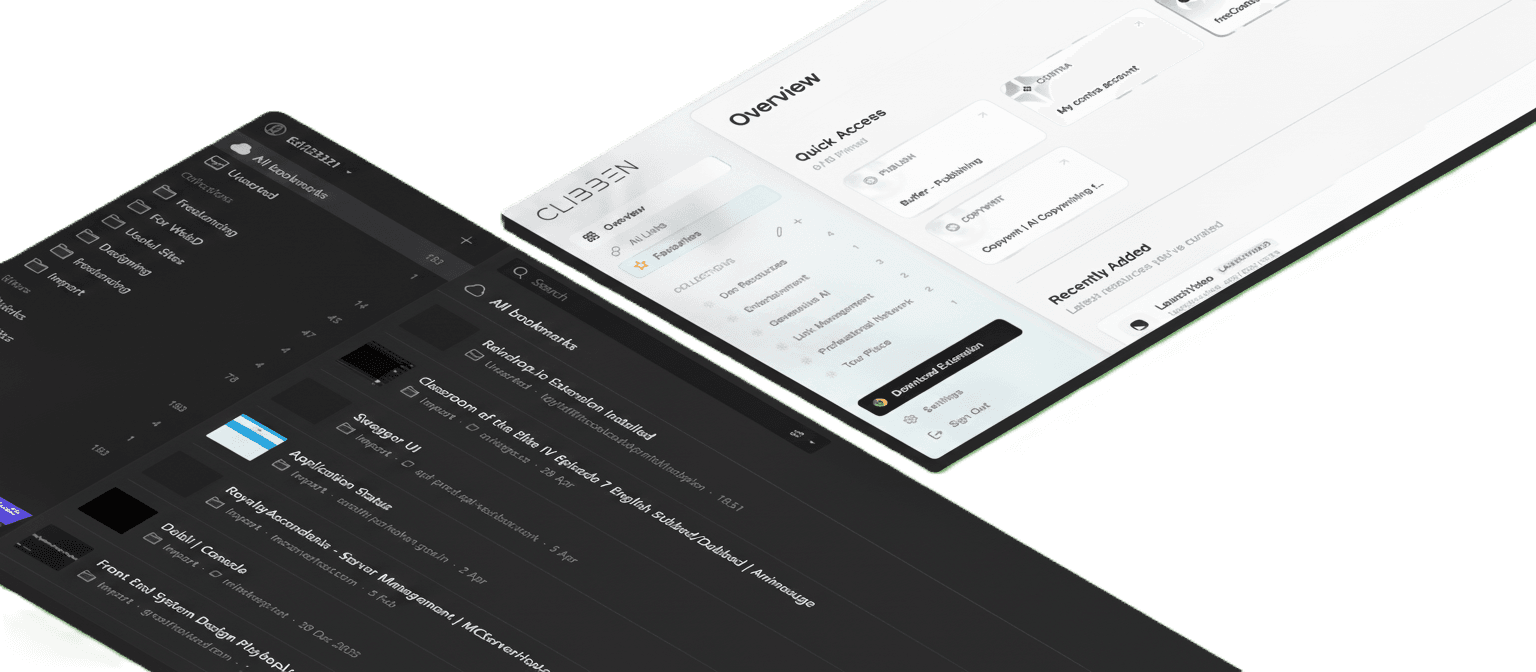
Your Raindrop.
First, the honest part
Raindrop.io has been around since 2013. It is well-built, has a generous free tier, and a huge integration library. If you need a visual dashboard, multiple view modes, or native mobile apps for iOS and Android, Raindrop is a solid choice.
Clibben was built to solve a different problem: the moment when you are deep in research or building something, you hit a link you need, and you have to stop, open a new tab, navigate to your bookmark manager, search, find it, and come back. That interruption is the problem. Clibben eliminates it.
The one thing that changes everything
Raindrop opens a new tab. Clibben opens on top of your current one.
Instant Search Overlay
Press your custom hotkey (default Ctrl+Shift+F) from any webpage. A search modal appears over your current page. Type, find, open. Never leave what you were doing.
Search lives in the Raindrop dashboard. You open a new tab, navigate to app.raindrop.io, search, then go back to your original tab.
Auto-Categorisation
Paste a link. Clibben reads it, understands what it is, and places it in the right collection automatically - or creates a new one if needed. No manual tagging required.
Raindrop's AI Suggestions (Pro feature, paid) recommends collections but still requires you to confirm. You are doing the categorisation, just with a hint.
Hotkey-First Saving
Save the current page with a single hotkey without touching your mouse. The extension captures the page, categorises it, and confirms - all without interrupting your flow.
Saving via extension works well, but collection assignment and tagging are manual. The extension popup requires interaction.
Side-by-side comparison
| Feature | Clibben | Raindrop.io |
|---|---|---|
| In-page search overlay | Yes - hotkey from any tab | Requires navigating to dashboard |
| Custom keyboard hotkeys | Fully customisable | Not available |
| Auto-categorisation (AI) | Automatic on save | AI Suggestions on Pro plan (paid) |
| Collections / Groups | Yes | Yes |
| Nested collections | Soon | Yes |
| Tags | Yes | Yes |
| Browser extension | Chrome, Edge, Brave | Chrome, Firefox, Safari, Edge |
| Full-text search | Yes (semantic AI, coming soon) | Pro plan only ($28/year) |
| Highlights / Annotations | Not available yet | Pro plan |
| Web page archive / permanent copy | Not available yet | Pro plan |
| Team shared spaces | Coming soon | Available on Free plan |
| Public shareable collections | Planned | Available |
| Import from Chrome / HTML | Yes | Yes |
| Import from Raindrop | Yes (CSV/HTML export) | - |
| Mobile apps (iOS / Android) | Web only currently | Native iOS and Android apps |
| Desktop apps (Mac / Windows) | Web only currently | Native Mac and Windows apps |
| Automation integrations | In roadmap | Zapier, Make, n8n, IFTTT, Apple Shortcuts |
| AI assistant (chat with bookmarks) | Planned | Stella AI (Pro) |
| RSS reader integrations | Not available | Feedbin, Feedly, Inoreader |
| Developer API | Planned | Full REST API with OAuth |
| MCP server (AI tools) | Not available | Claude, Cursor, VS Code, Windsurf, Zed |
| Social/media integrations | Planned | X/Twitter, YouTube, Spotify, Reddit, SoundCloud, Pinterest |
| Cloud backup | Not available | Dropbox, Google Drive, OneDrive |
| Open source | No | Open source client apps |
| Pricing - Free tier | Free | Free |
| Pricing - Paid plan | Coming soon | $28/year (Pro) |
| Founded | 2026 | 2013 |
*We believe in honest comparisons. Raindrop.io is a mature, feature-rich product with over a decade of development. The table above reflects the current state of both products. Clibben is newer and more focused - built specifically around not breaking your flow.
Which one is right for you?
Choose Clibben if:
- •You work in a browser most of the day and hate losing your place to search for a link
- •Keyboard shortcuts are part of how you work - you want to save and retrieve bookmarks without touching your mouse
- •You want your bookmarks auto-organised without thinking about it
- •You are a developer, designer, or researcher who lives in tabs
- •You do not need mobile apps yet and work primarily from your computer
- •You want something fast, focused, and modern
Choose Raindrop.io if:
- •You need native mobile apps for iOS or Android to access bookmarks on the go
- •You want to auto-save from social platforms like Twitter, YouTube, or Reddit
- •You need a full developer API or automation via Zapier and Make
- •You want to use bookmarks inside AI tools like Cursor, VS Code, or Claude via MCP
- •You need a public shareable collection that does not require signup
- •You prefer an open-source product with over 10 years of proven reliability
Already on Raindrop? Moving takes 2 minutes.
Step 1 - Export from Raindrop
In Raindrop.io, go to Settings → Backup/Export → Export as CSV or HTML file. All your collections and links will download as a single file.
Step 2 - Import into Clibben
In Clibben, go to Settings → Import → Upload the file from Raindrop. Clibben will read your collections, recreate the structure, and place all your links.
Step 3 - Clibben takes it from there
Auto-categorisation will review your imported links and suggest or apply better groupings. Your bookmarks are now searchable from any page with your hotkey.
What saving a link looks like in Clibben
You find a link worth saving
No tab interruptions or visual folders clutter needed.
You press your hotkey
Or single-click the extension button in your bar.
Clibben reads the page
Metadata, titles, descriptions, and tags resolve instantly.
You never left your current tab
Keep typing, reading, or researching immediately.
Start with what's free
Clibben is free to use. No credit card. Import your existing bookmarks in minutes.