What's New
Everything Clibben can do now
New ways to save, organise, share, and find your links - built on what you actually needed.
NEW
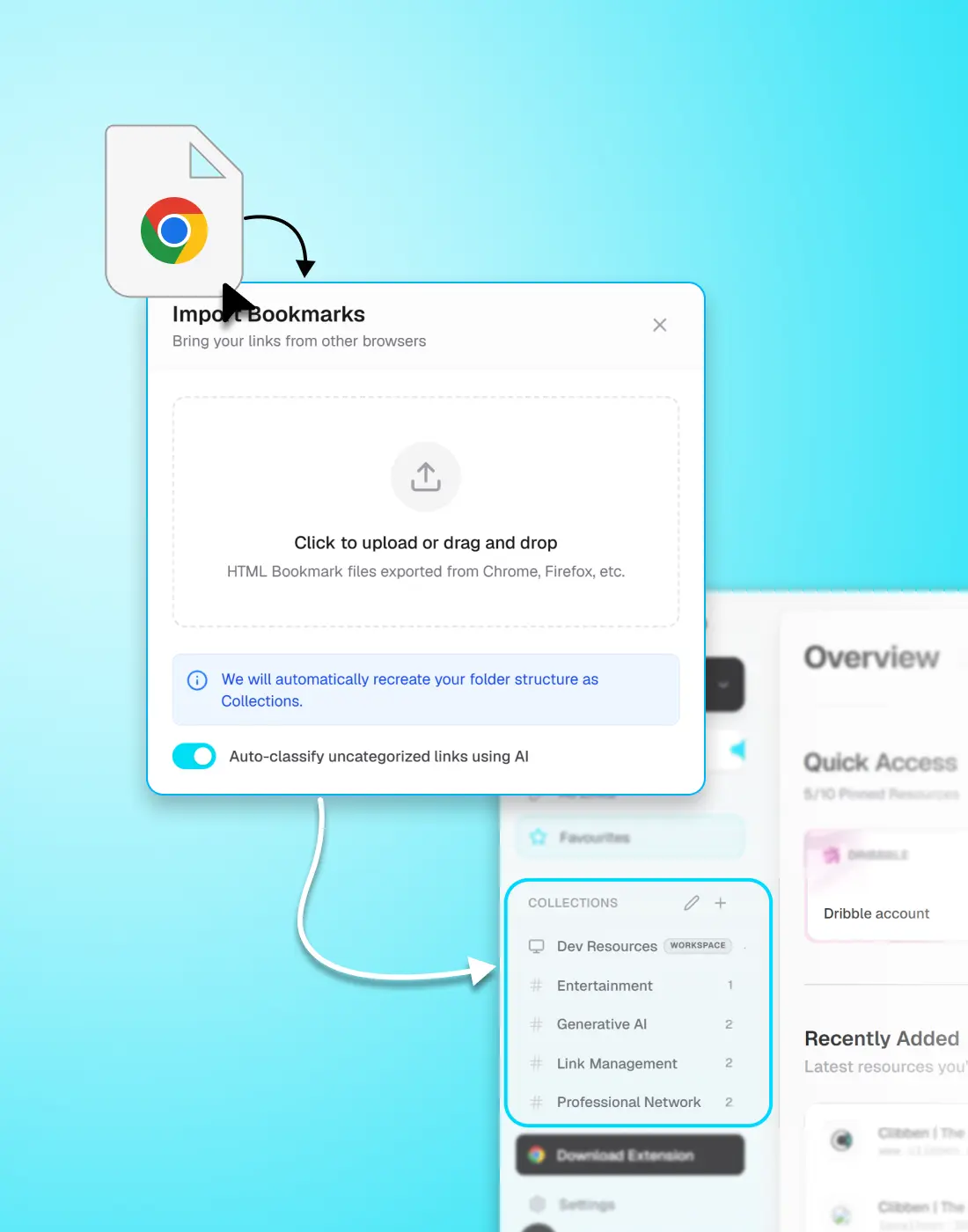
Bring every link you already have into Clibben
Your existing bookmarks should not be a reason to delay switching to a better tool. Clibben's import system reads your current browser bookmarks - Chrome, Firefox, Safari, or any browser that exports HTML - and brings everything across: links, folder names, and structure. Nothing gets lost in the move.
Export works the same way in reverse. Download your entire Clibben library as a standard HTML file at any time. Your data stays yours, and you are never locked in.
- Import directly from Chrome, Edge, Firefox, or Safari using their standard HTML export
- Your folder structure is preserved and converted into Clibben Collections automatically
- Export your full library at any time - one file, all your links, standard format
NEW
Paste a link. Clibben decides where it goes.
Most bookmark tools make you do the filing. You paste the link, pick a folder, add a tag, and move on. That overhead is why most people stop bookmarking consistently - the cost of saving feels higher than just leaving the tab open.
Clibben reads the page behind every link you save and understands what it is: a GitHub repo, a design reference, a research paper, a documentation page. It places the link into the right collection automatically. If no collection fits, it creates one. You just paste the link.
- Works on save - no manual tagging or folder selection required but you can set manually as well
- Understands content type: articles, tools, documentation, repos, references, and more
- Creates new collections automatically when a link does not fit an existing one
- You can always move or re-tag links manually - auto-categorisation is a starting point, not a lock-in
NEW
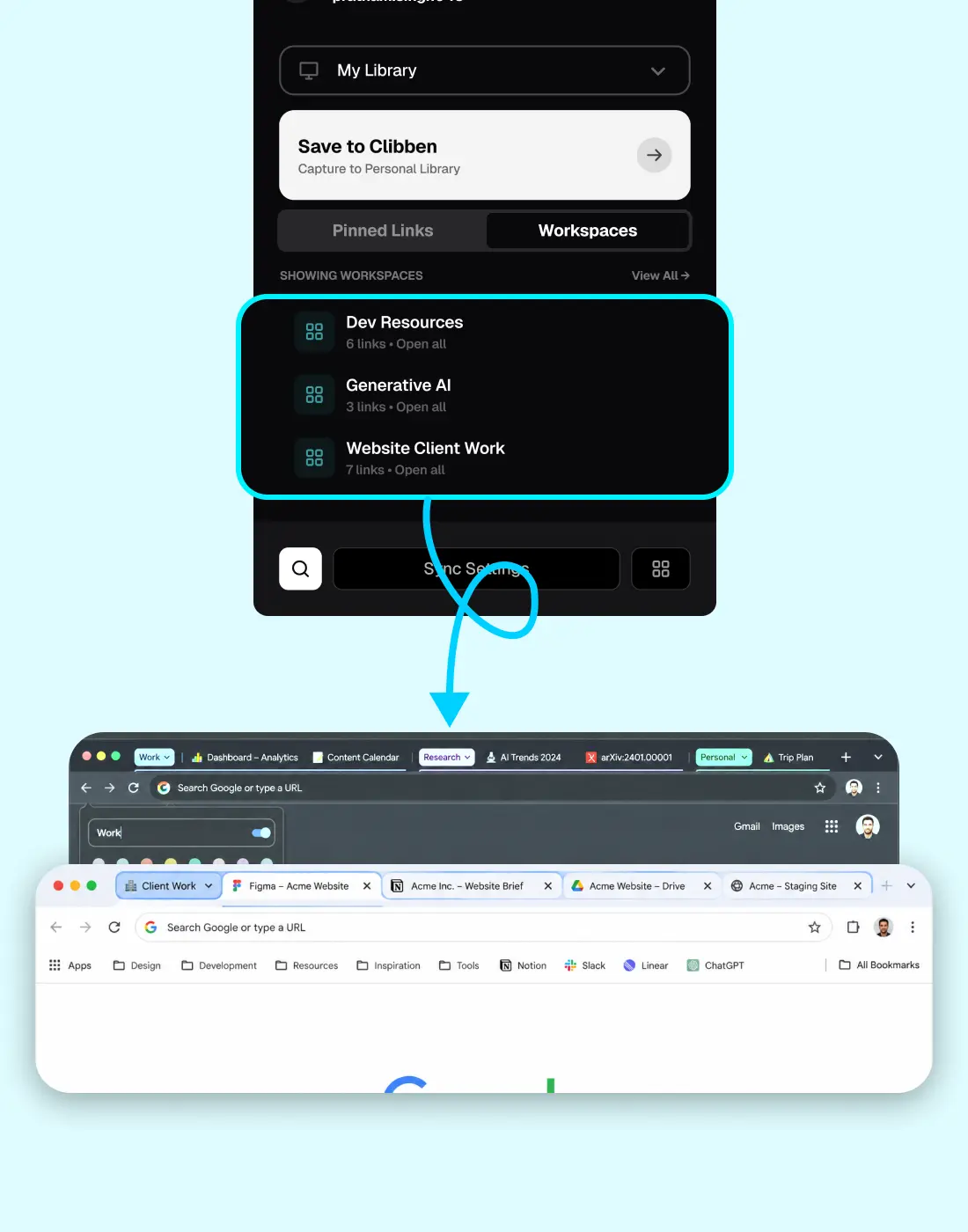
Open an entire project's links in one click
A workspace is a collection you can open. Mark any Clibben Collection as a workspace and it gains a new ability: one click in the extension opens every link in that collection as a tab group in your browser - all at once, already grouped, ready to work.
It is the same idea as Chrome's tab groups, but persistent. Chrome's tab groups disappear when you close the window. A Clibben workspace lives in your account. You open it on any machine, any time, and your project context is restored.
- Mark any existing Collection as a workspace - no new setup required
- One click in the Clibben extension opens all links as a Chrome Tab Group
- The tab group takes the name and structure of your Collection
- Workspaces persist across sessions and devices - Chrome tab groups do not
NEW
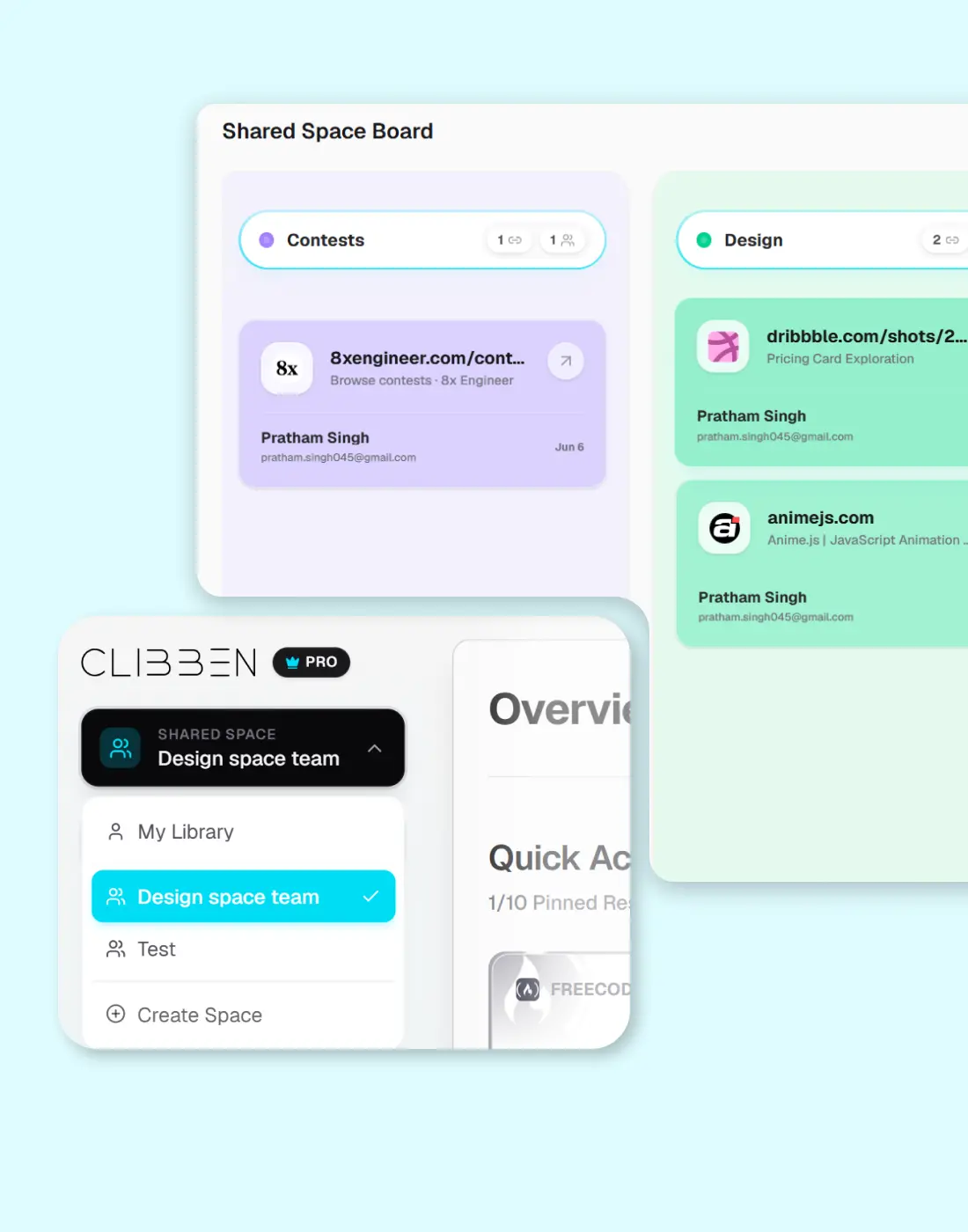
A shared home for your team's links and resources
Your team saves links too - in Slack threads that disappear, Notion pages that go stale, whatsapp groups where it needs to be pinned, and browser bookmarks that stay on one person's machine. Shared Spaces gives your team one place for links that everyone needs: onboarding docs, client resources, design references, tool stacks, research archives.
Set roles for who can save, view, and organise links. When someone on the team saves something useful, it is immediately available to everyone - searchable, categorised, and permanent.
- Create a Space for your team, a project, or a client
- Manage your team's roles and permissions
- Links saved by anyone are instantly visible to the whole team
- Spaces support Tags - organise shared links the same way you organise personal ones
- Fine-grained permissions: view-only, contributor, and admin roles
NEW
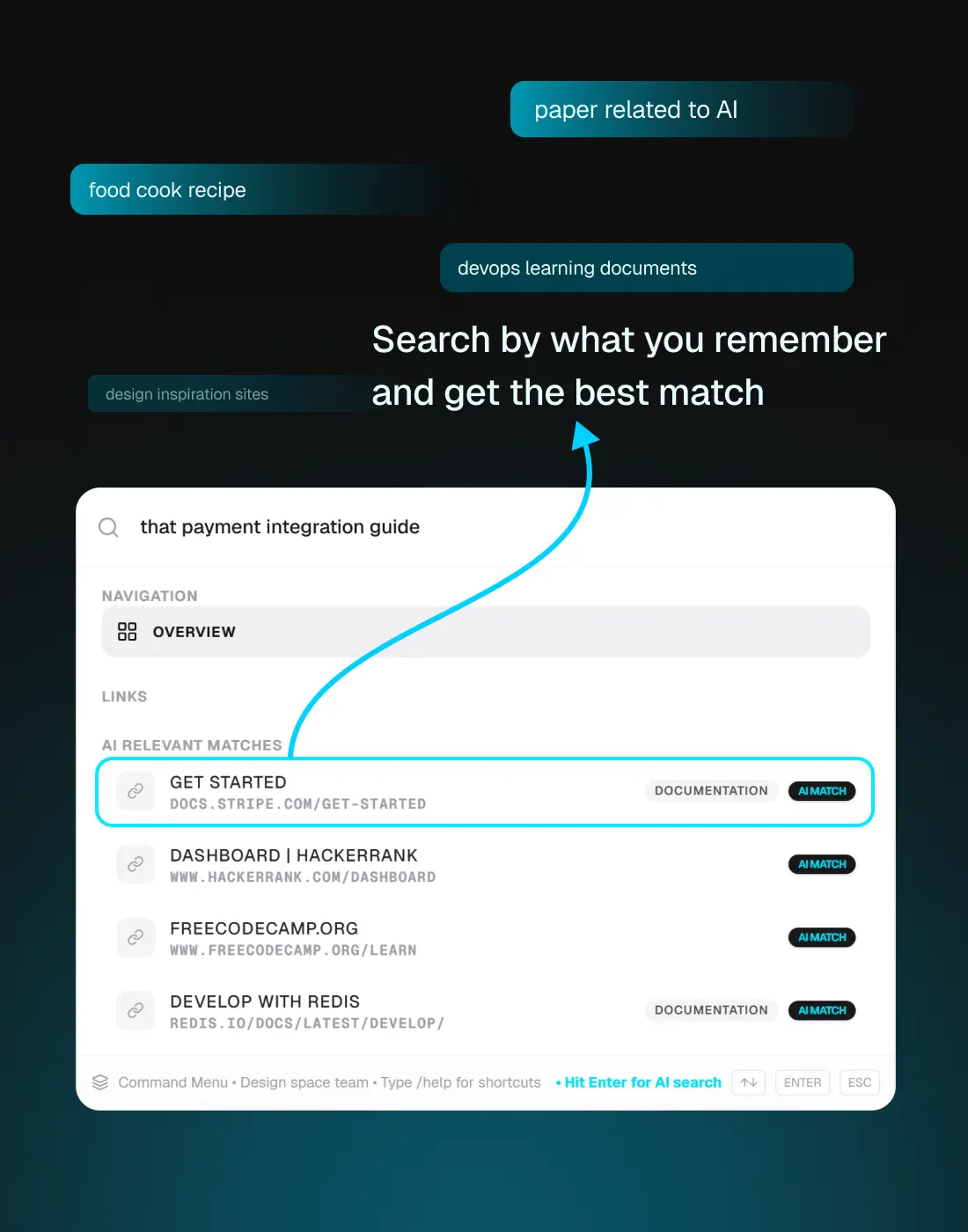
Find any link by what it's about - not just what it's called
Standard bookmark search only knows two things: the page title and the URL. If you cannot remember either, you get nothing. Clibben's AI semantic search understands the meaning behind your saved links - the topic, the context, the reason you saved it - and finds the right result even when your search is vague, partial, or phrased differently from the page title.
Search for "that article about rate limiting in Node" and find the MDN page, the Stack Overflow thread, and the blog post you saved six months ago - even though none of them were titled exactly that.
- Search by topic, not just title or URL
- Works across your entire library - personal collections and shared spaces
- Understands context: finds related links even when the exact words do not match
- The more you save, the more useful the search becomes - your library gets smarter over time
Start using Clibben today
All core and advanced features are fully live, free to try, and ready to go.